

Oral Reading - Digital Administration
To administer digital assessments, ensure that you are logging in to the Acadience Learning Online (ALO) PWA on a supported touchscreen device. Verify that you are in full screen mode.
After logging in to ALO on a touchscreen device, navigate to the Student List View. Click on the individual student you want to assess.
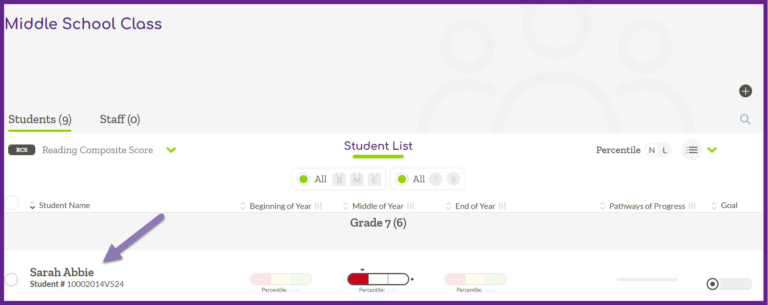
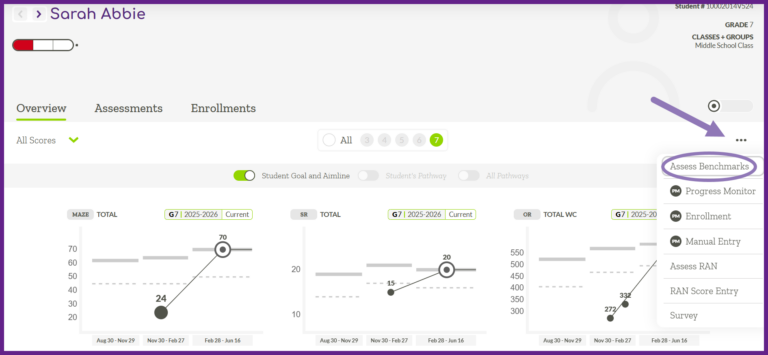
On the right side click the three dot menu, and then select “Assess Benchmarks.”
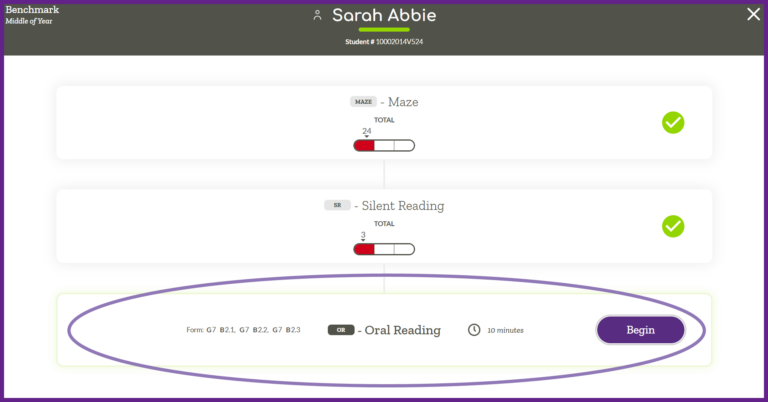
Select the Oral Reading measure and then click the “Begin” button.
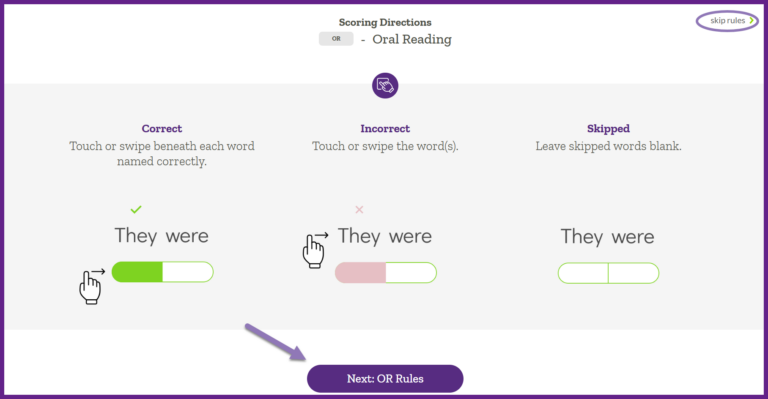
Rules and reminders are displayed for you to review. Click the “Next: OR Rules” button to scroll through all of the rules for Oral Reading, Recall, Vocabulary and Inference. At the end of the rules click the “Next: OR Passage 1” button. Alternatively, in the top right corner you can click ‘skip rules’ to move past this section.
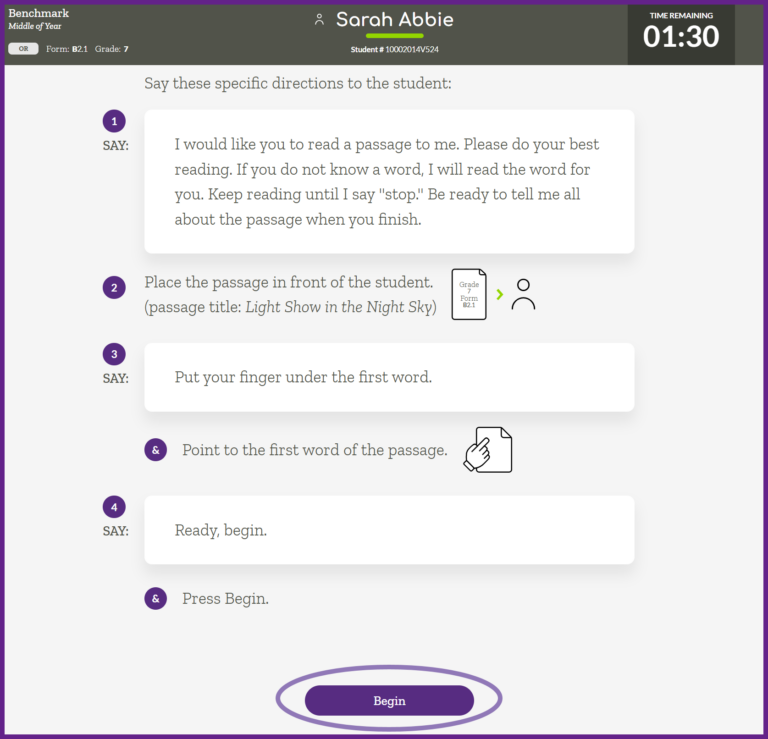
Use the script displayed on the screen, ensuring you follow the prompts and read the text aloud verbatim. When you reach the end of the instructions, press “Begin.” The timer for OR administration begins when the student reads the first word and you mark the response in ALO.
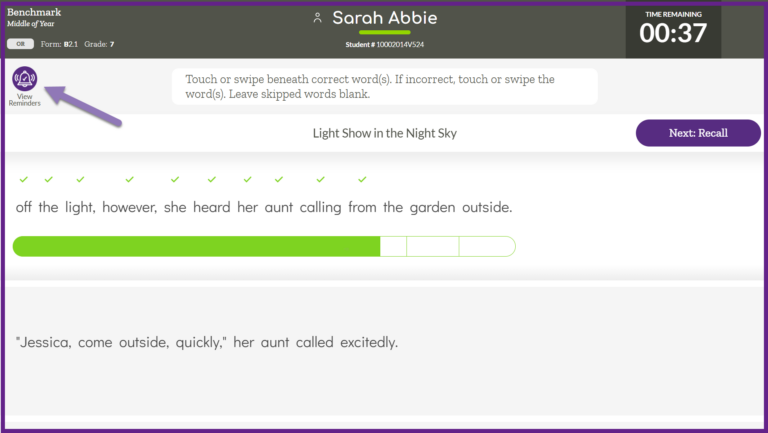
During administration, you can click the “View Reminders” icon in the top left corner to revisit the reminders that may be given.
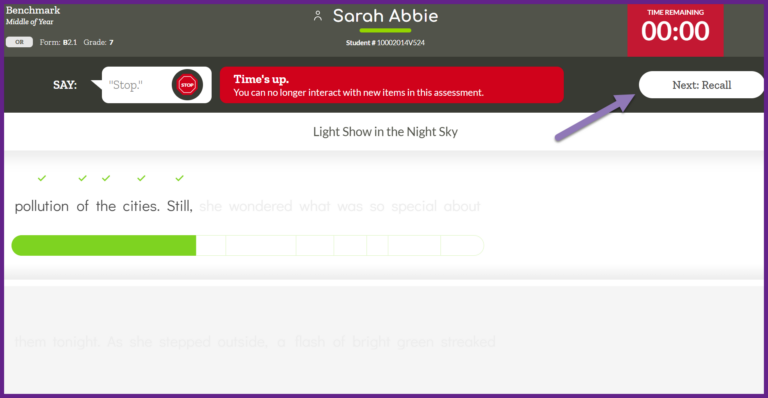
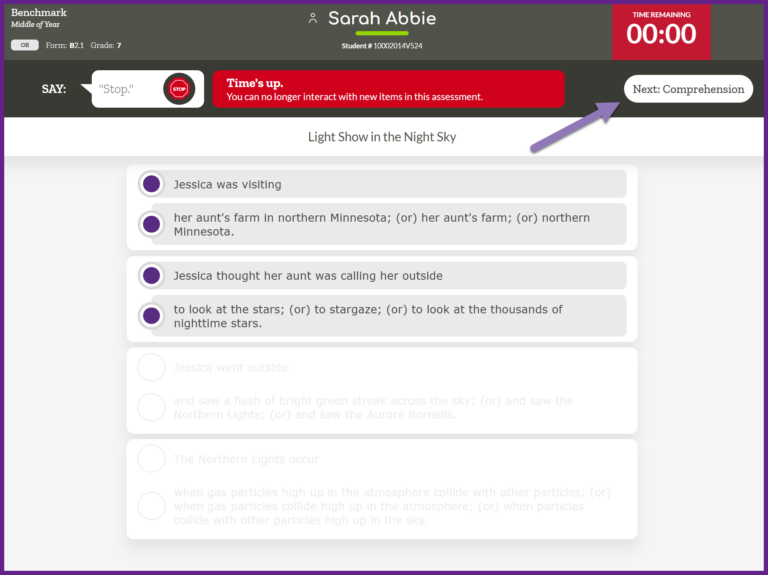
When time is up you can no longer interact with new items in the assessment. You can scroll up to previously marked responses and edit any of the existing scoring marks. Once you have reviewed the responses and everything is accurate, click “Next: Recall” in the top right corner.
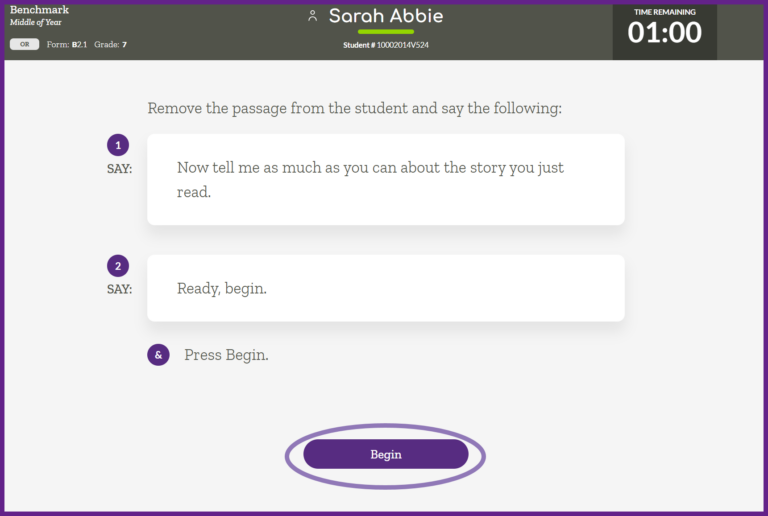
Use the script displayed on the screen, ensuring you follow the prompts and read the text aloud verbatim. When you reach the end of the instructions, press “Begin.” The timer for OR: Recall starts when you click “Begin.”
Listen for key concepts and details and tap the corresponding items. When the student is finished, or the time is up, click “Next: Comprehension.”
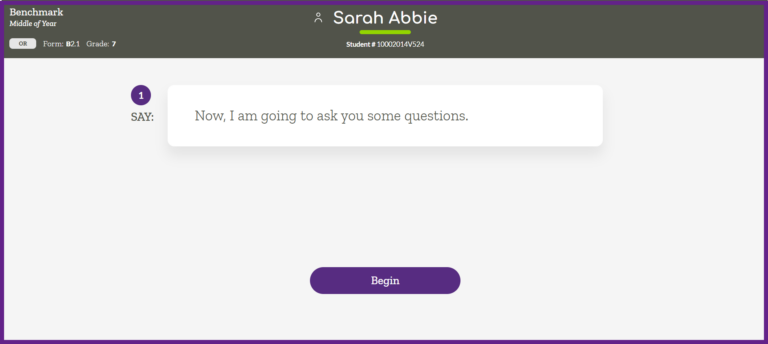
Read the directions on the screen and press “Begin.”
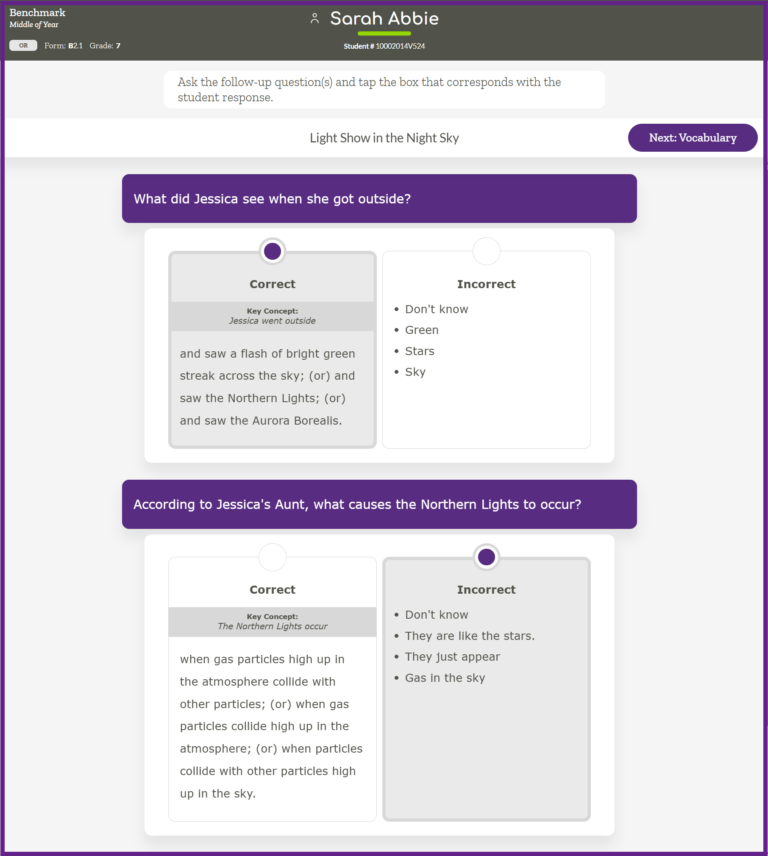
Ask the follow up question(s) and tap the box that corresponds with the student response. When you have finished marking each question, the “Next: Vocabulary” button will illuminate. Click “Next: Vocabulary.”
Note: if a student has either the key concept or a detail for every item the system will automatically move on to the Oral Reading: Vocabulary section.
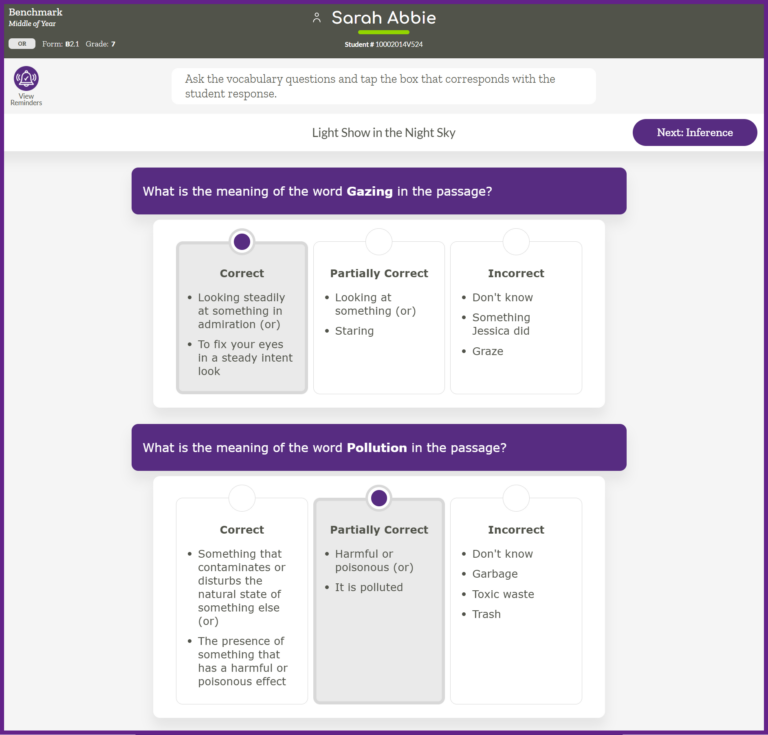
Ask the vocabulary questions and tap the box that corresponds with the student response. When responses are marked the question will turn purple. When you reach the end of the questions click the “Next: Inference” button.
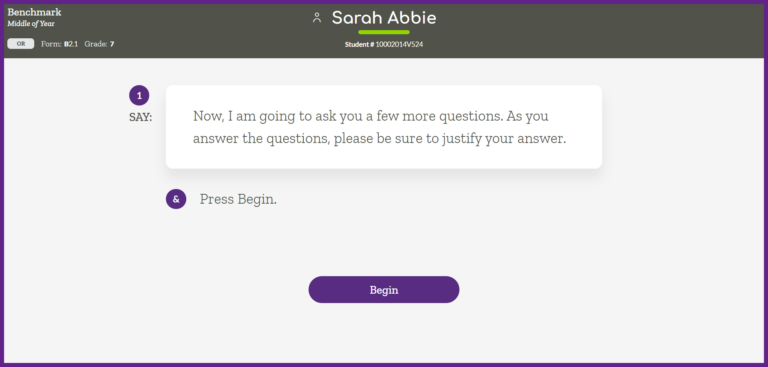
Read the directions on the screen and press “Begin.”
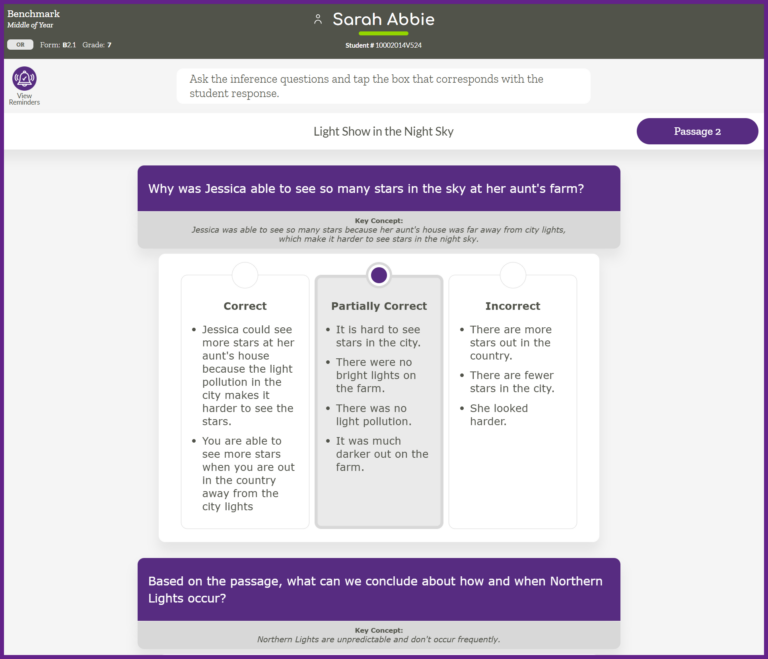
Ask the inference questions and tap the box that corresponds with the student response. When responses are marked the question will turn purple. When you reach the end of the questions click the “Passage 2” button.
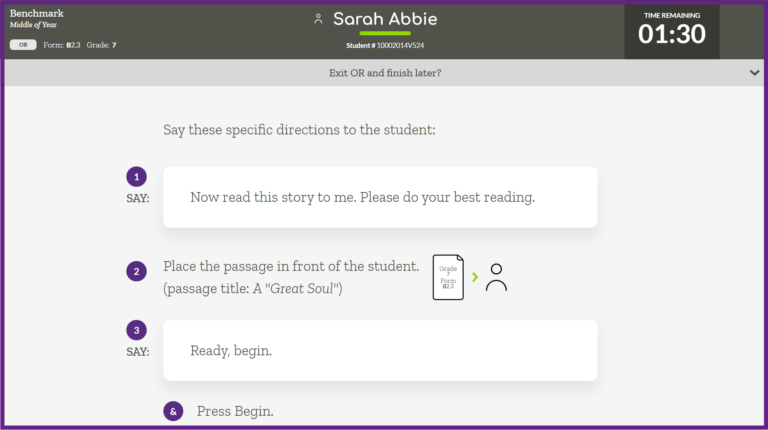
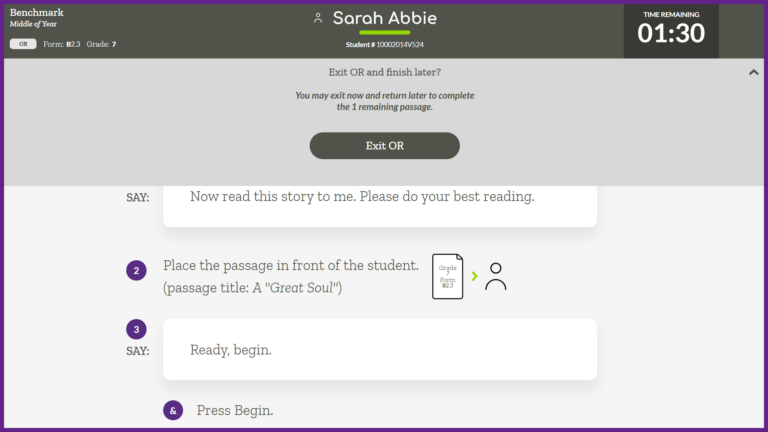
You will then follow all of these same steps for the remaining 2 passages. Note: If you need to stop administration and finish at a later time, at the end of each passage ALO displays a message that says “Exit OR and finish later?” Clicking the down caret will display the “Exit OR” button that you can click to exit the assessment administration and return at a later time to complete the remaining passage(s).
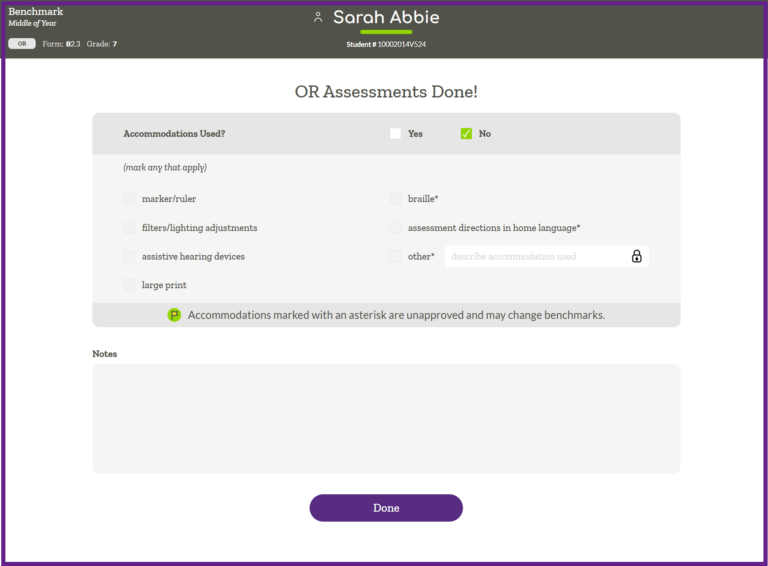
When you reach the end of all sections you will be prompted to mark if any accommodations were used. You must select either “Yes” or “No” in order to proceed. If “Yes” is selected, you must mark any accommodation that was used. At least one option must be selected, and multiple selections are permitted. At the bottom of the screen you have the option to leave any relevant notes. Click “Done” at the bottom of the screen.
The assessment results are displayed for you to review. If there are no additional measures to administer you will click “Close.”
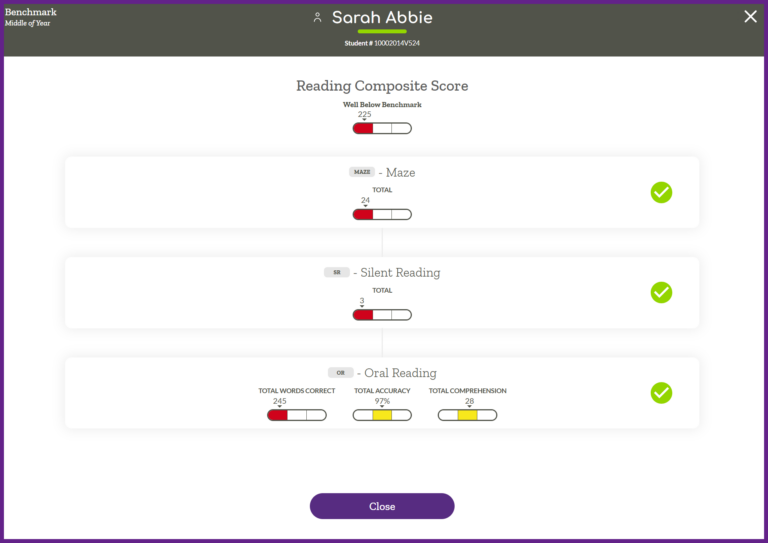
Assessment results are available immediately for review in ALO.
