
Administering Acadience Reading Survey
Acadience Reading Survey is used to identify the appropriate progress monitoring and instructional levels for a student who is reading below their grade level. You can learn more about Survey here.
Survey is included in Acadience Learning Online with the purchase of student licenses for Acadience Reading K–6. It is available for digital assessment with a touchscreen device.
District-Level Staff
You can digitally assess with Survey in your ALO account by:
- Selecting the purple “My District” button at the top of the screen
- Selecting a school
- Selecting a class
- Clicking on a student’s name
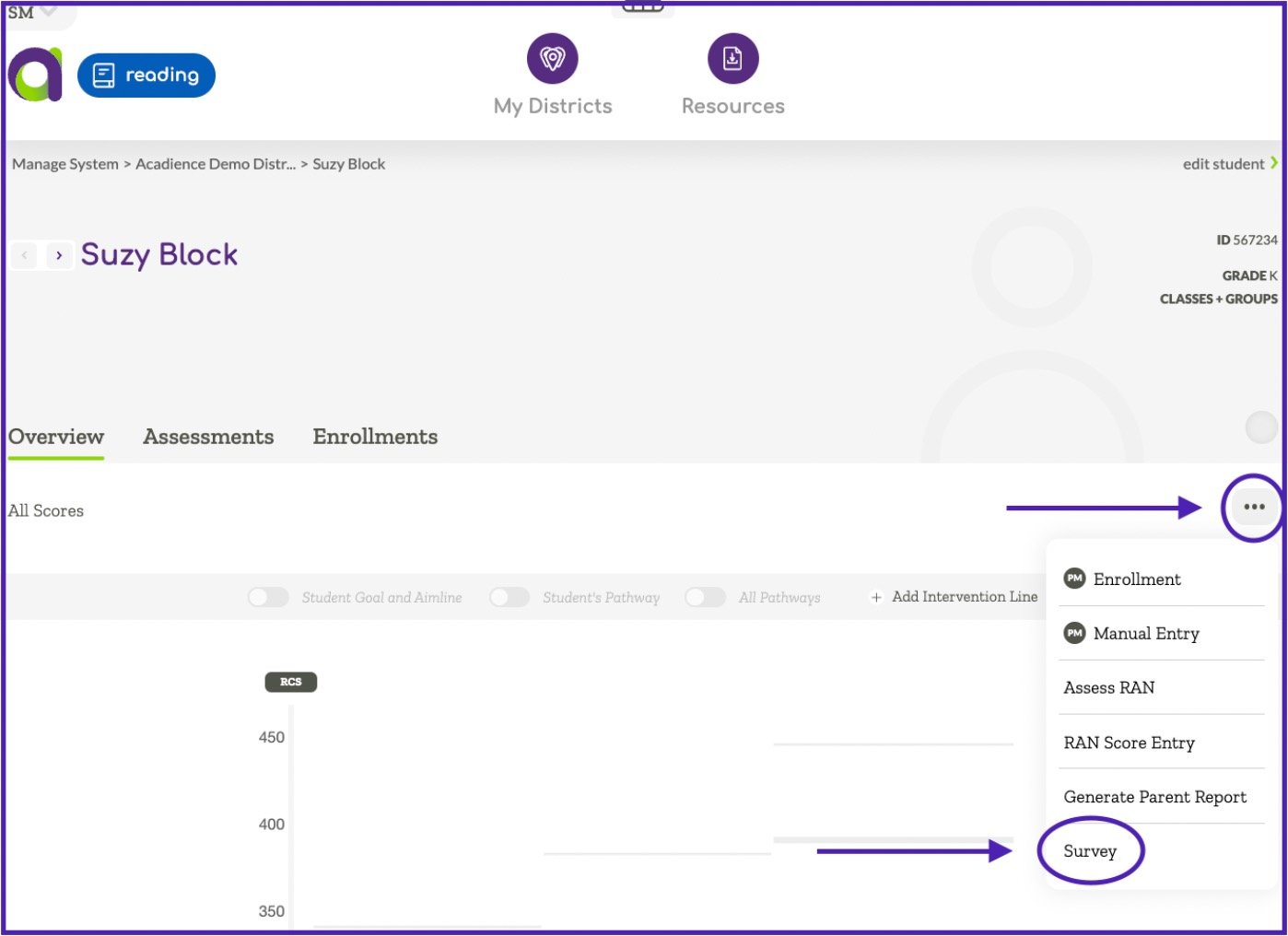
- Selecting the three dots on the right-hand side of the screen
- Choosing Survey
School or Class-level Staff
You can digitally assess with Survey in your ALO account by:
- Selecting the purple “My School” button at the top of the screen
- Selecting a class
- Clicking on a student’s name
- Selecting the three dots on the right-hand side of the screen
- Choosing Survey
Survey results are available under the “Assessments” tab.