

Progress Monitoring Status
Progress Monitoring Status View
Follow the steps below to navigate to the Progress Monitoring Status View in ALO.
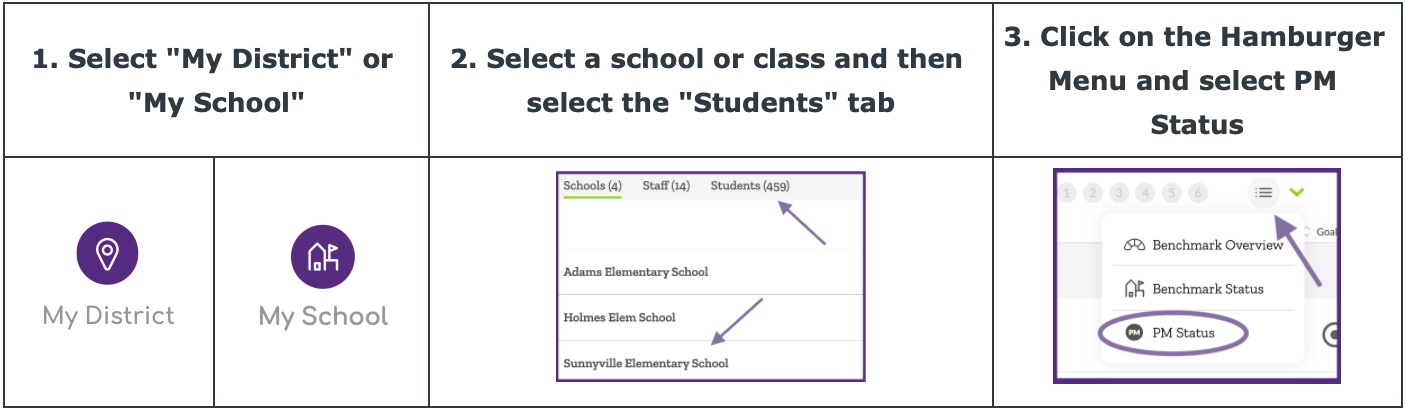
The Progress Monitoring (PM) Status view displays information about students enrolled in progress monitoring. The data display will show the status of a student’s last three data points in relationship to the aimline and goal with consideration for the frequency of scheduled monitoring. This information is displayed using the PM Status Icons.
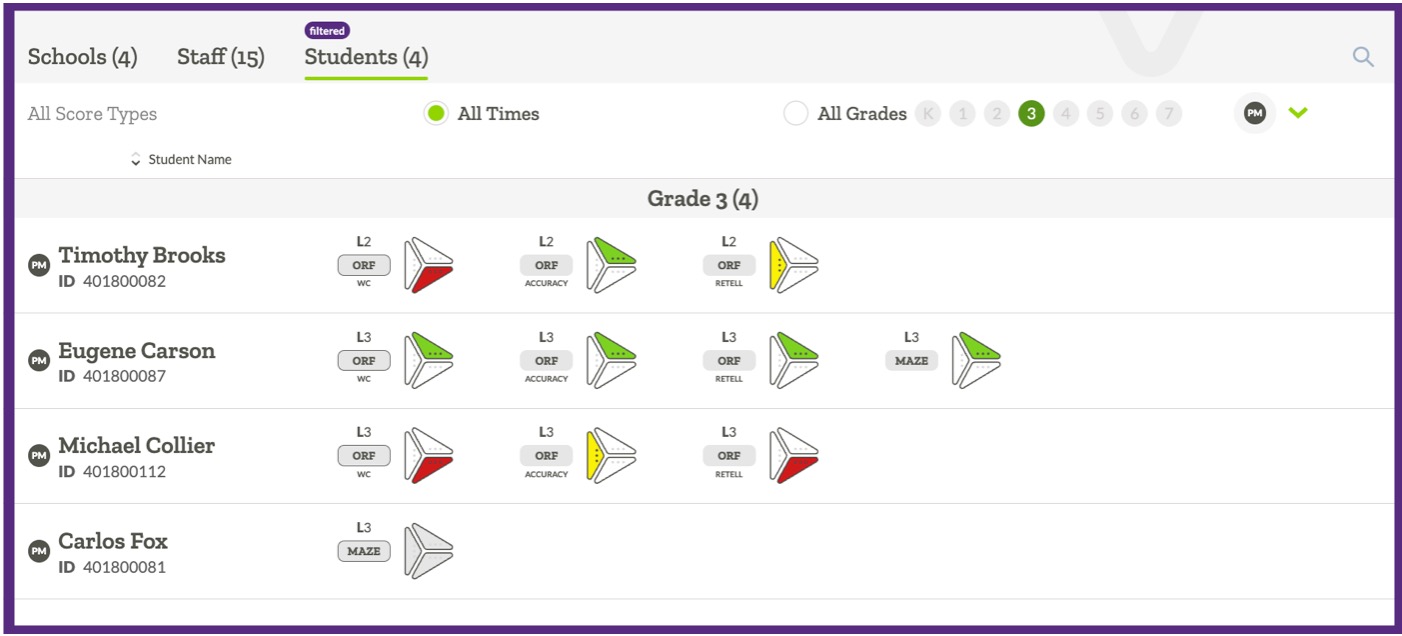
Each PM Status Icon has detailed information listed to the left of the icon including the measure name, level of material, and score type. The table below explains what each PM Status Icon represents.
| PM Status Icon | Description | Recommendations |
 |
Students in the green category are being monitored on the set frequency and their last 3 data points are above the aimline. | Students in the green category are predicted to meet their later goal. Continue providing effective instruction. |
 |
Students in the yellow category are being monitored on the set frequency and their last 3 data points are varied – some above and some below the aimline – and a prediction about progress towards their goal cannot yet be made. | A prediction cannot yet be made for students in this category. Continue to provide effective instruction and consider modification to instruction and/or intervention support. |
 |
Students in the red category are being monitored on the set frequency and their last 3 data points are below the aimline. | Students in the red category are not predicted to meet their later goal at this time. Consider immediate modification to instruction and/or intervention support. |
 |
Students in the grey category either have too few data points (less than 3) or are not being monitored on the set frequency. |
A prediction cannot yet be made for students in the grey category. Consider modifying implementation to ensure that scheduled, ongoing monitoring occurs. |
