

Exporting Student Data
Data Exports
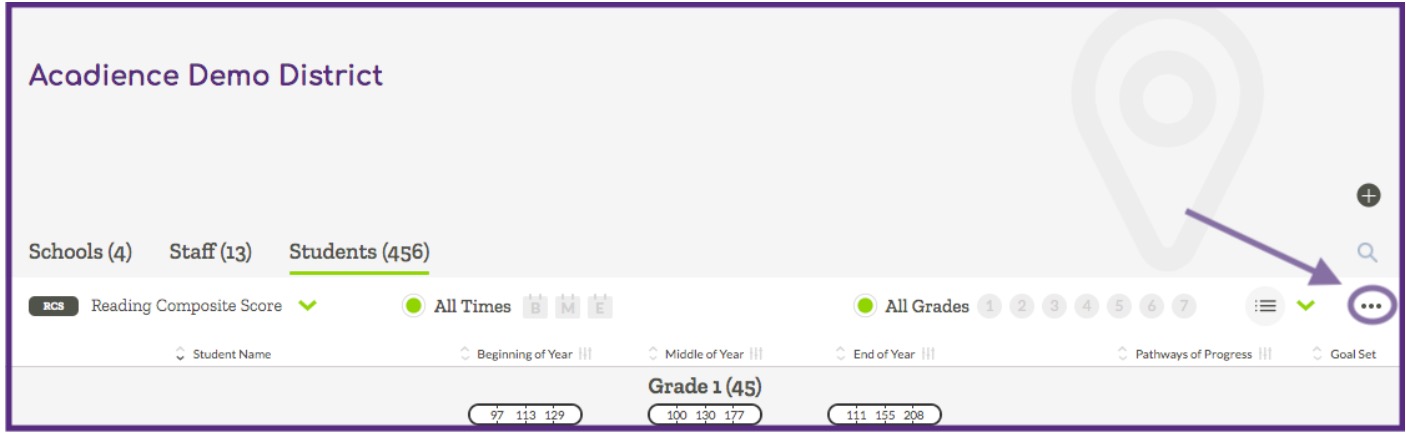
Data can be exported from Acadience Learning Online at the district or school level. To start, first navigate to the District View or School View page depending on the type of export you would like to create. Then select the Students tab and click on the 3-dot menu on the right side of the screen.
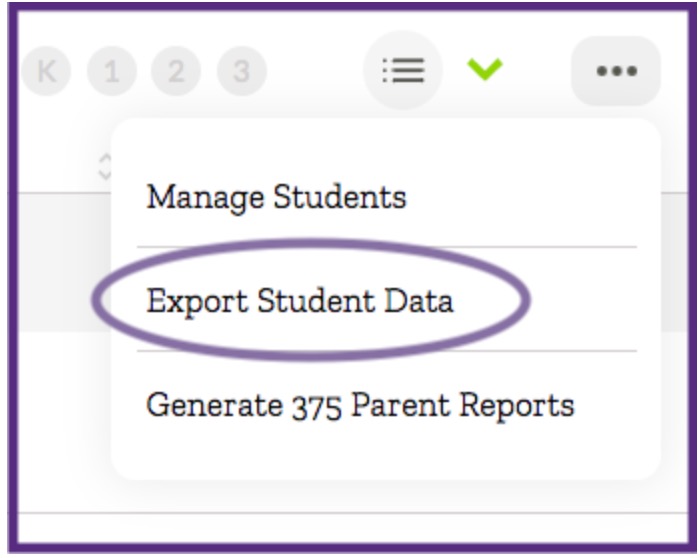
Select the “Export Student Data” option from the dropdown menu.
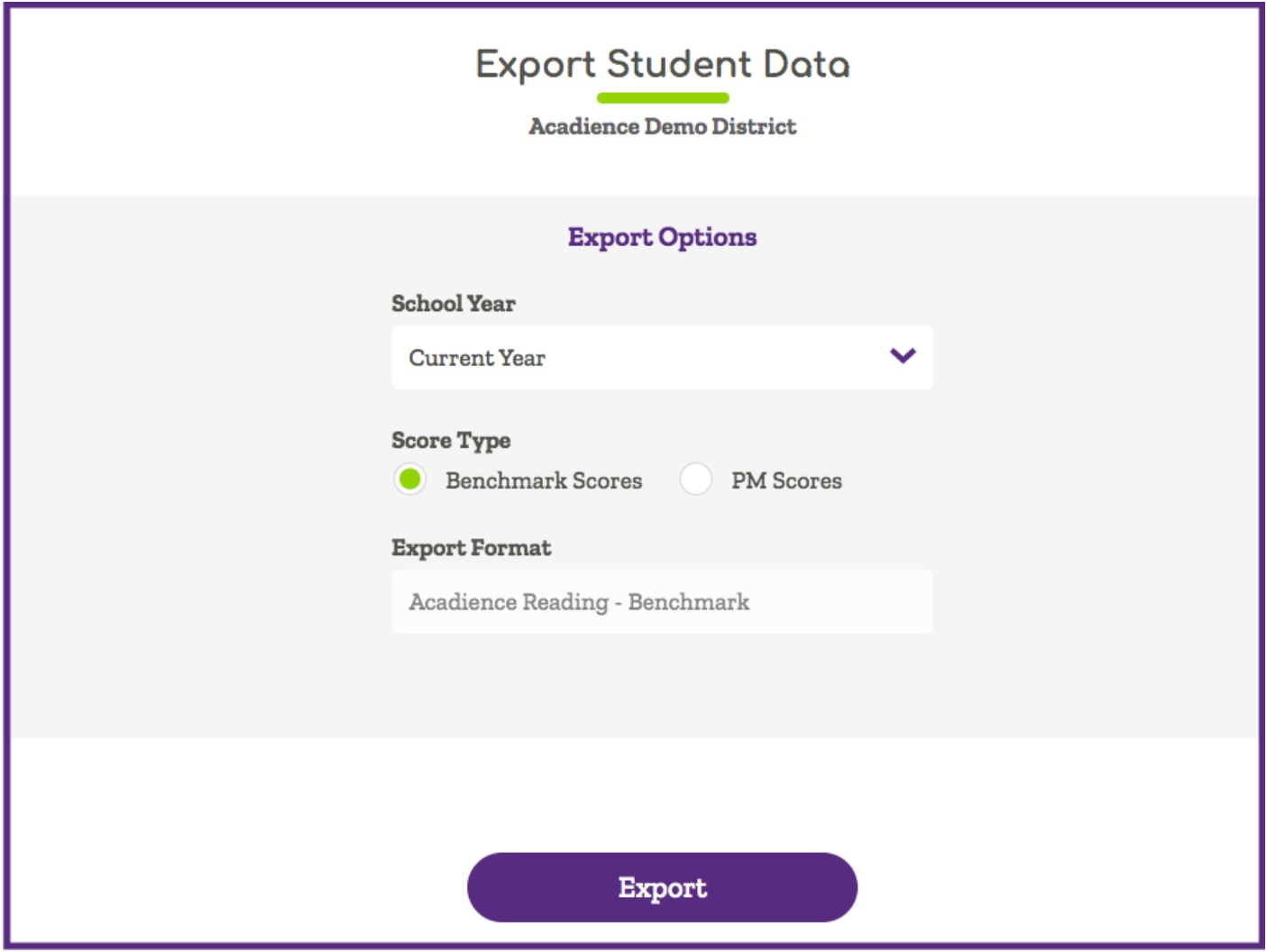
The pop-up window will show the options available for customizing your export file. Select from the options available and click on the “Export” button. After you select “Export” your CSV file will download automatically.
The data file will include all of your student and score information.
