

Viewing and Printing Parent Reports
ALO provides a report that was designed specifically for sharing student assessment data with parents and families. The Parent Report is available in English and Spanish and provides student scores along with information about the assessment and skills measured.
The reports are formatted to print one page per student and can be generated in ALO using the options described below.
Bulk Printing
Parent reports can be generated in bulk for a school, class, or group using the Multi-Select Tool. To generate parent reports for one of these groups of students, first navigate to a school, class or group and pull up the Student List View. Click on the open circle in the header row or next to select students to open the multi-select options.
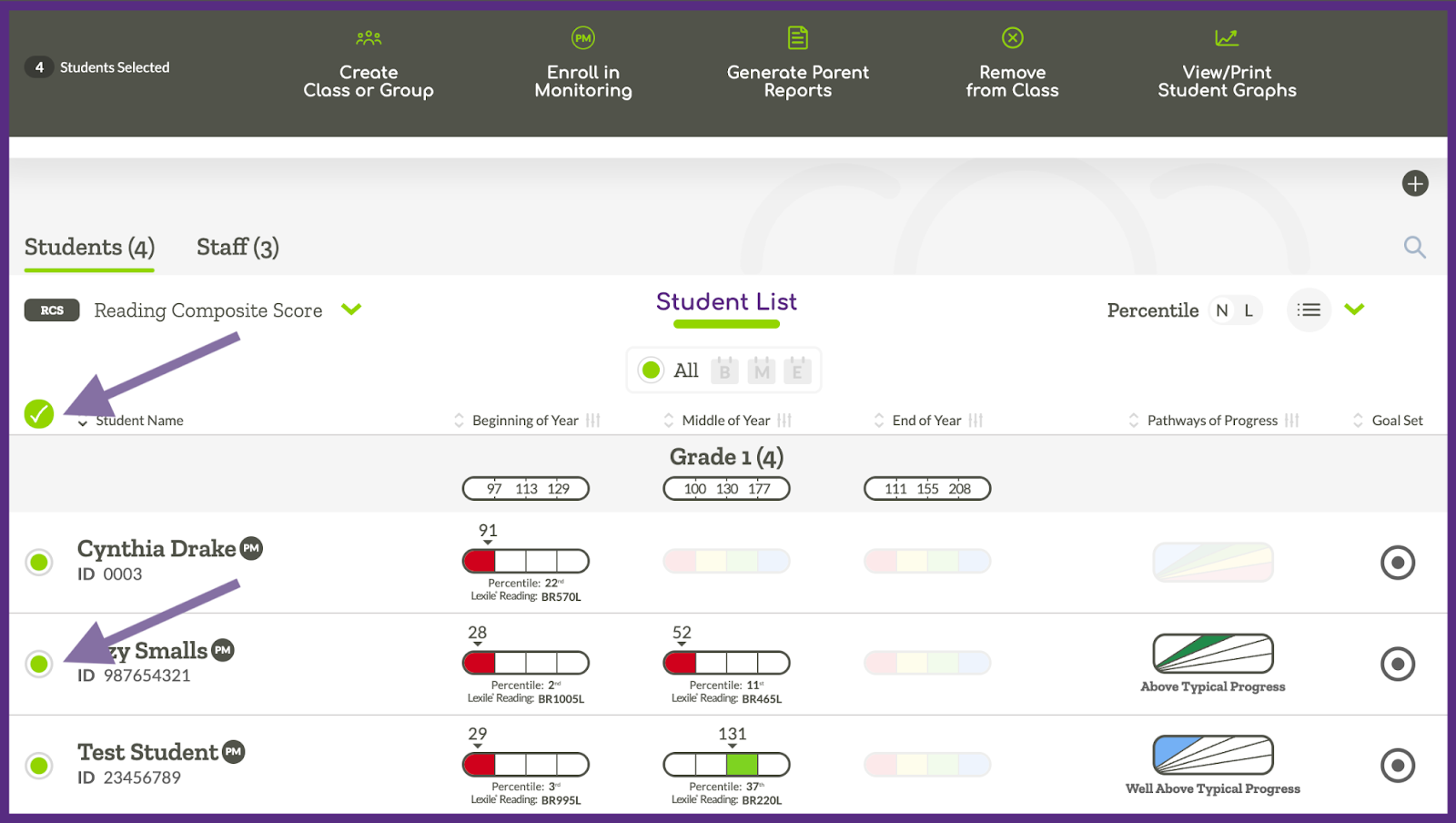
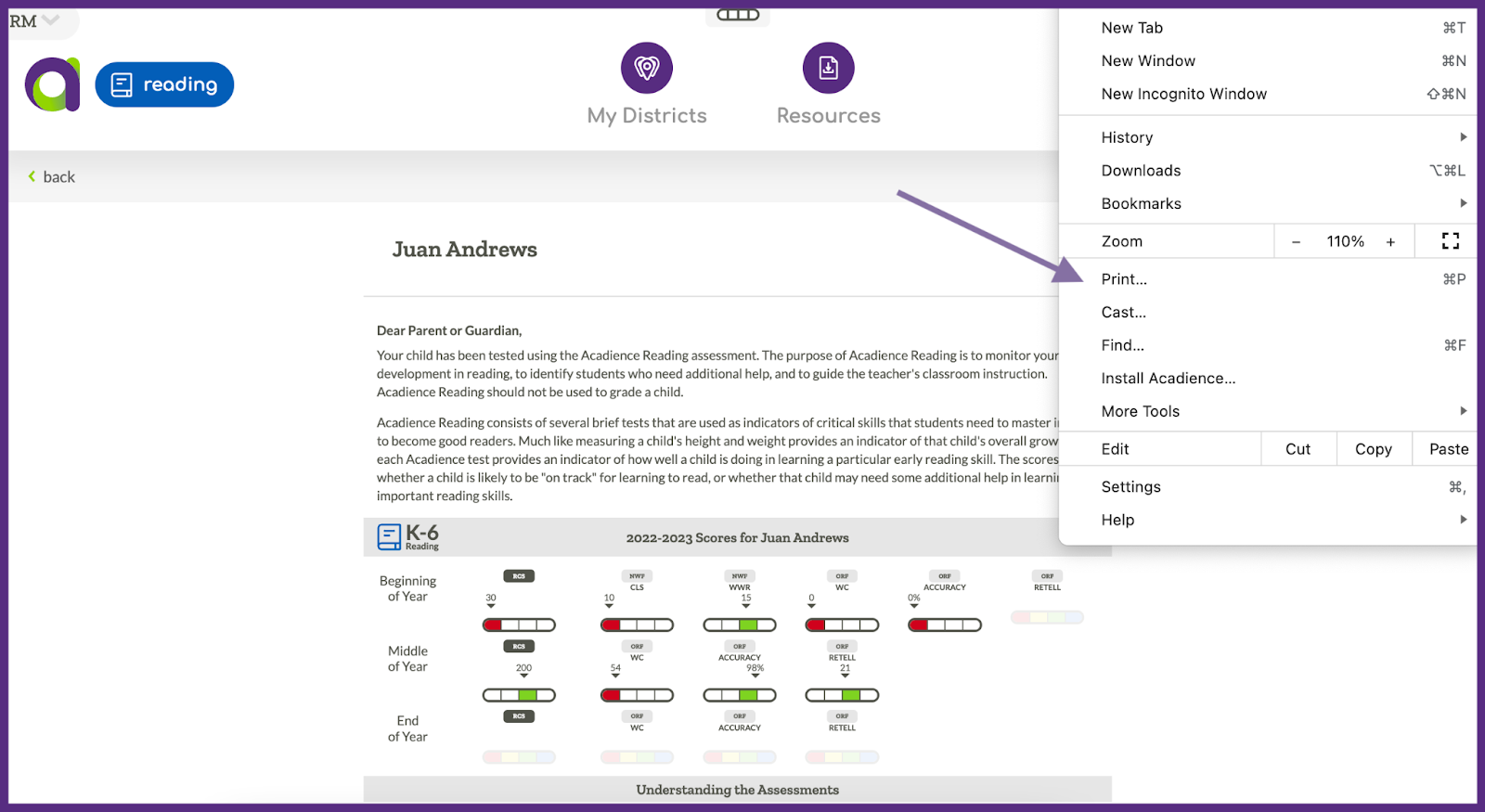
Once you have students selected you can click on the “Generate Parent Reports” option. You will then be able to choose to generate the reports in English or Spanish. The reports will then be displayed on the screen and can be printed using the print option found in the browser file menu.
Individual Printing
To print a Parent Report for an individual student, first navigate to a student list and select a specific student. Once you have the student’s page pulled up, click on the 3-dot menu and select the Generate Parent Report option.
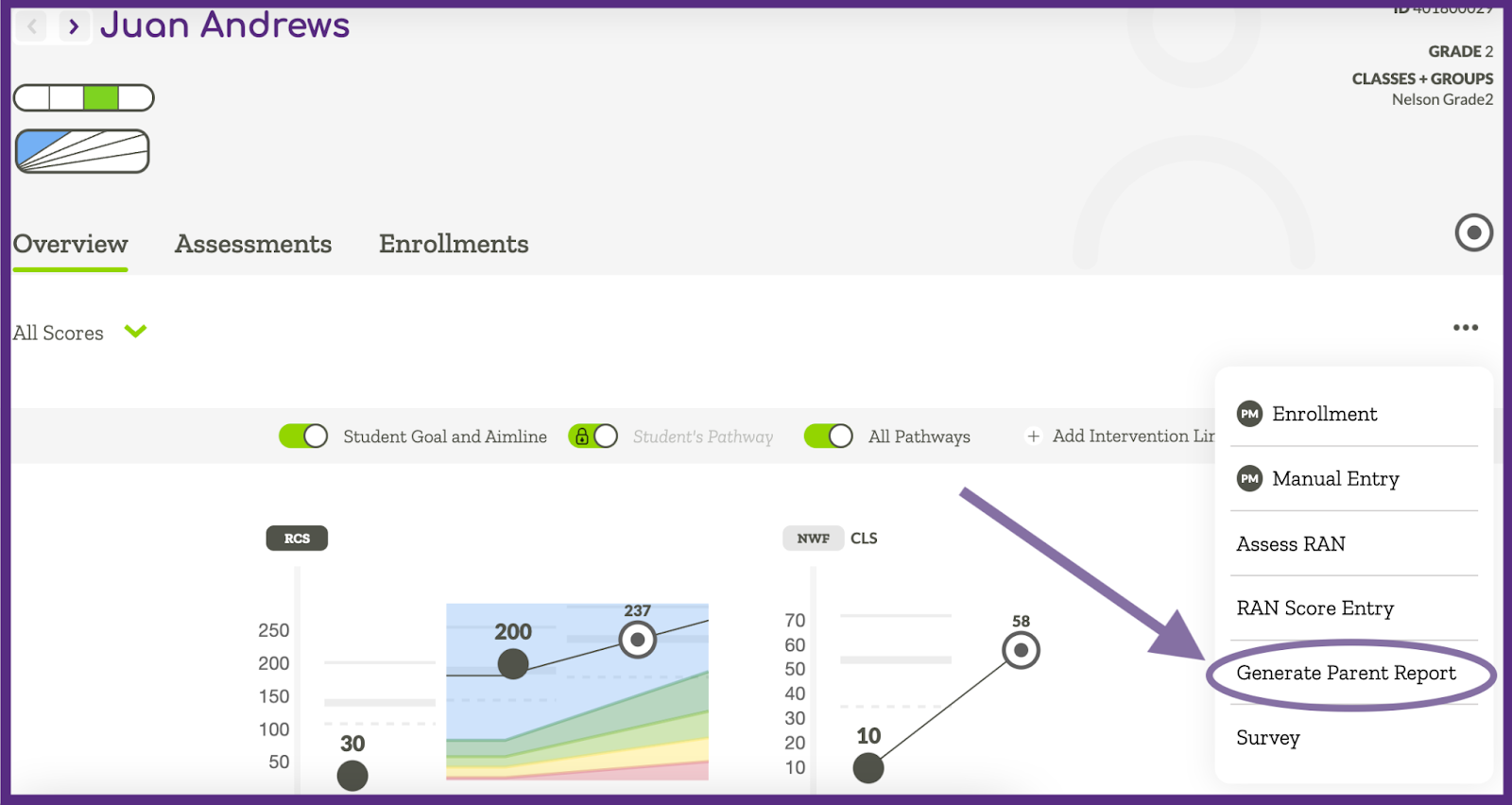
You will then be able to choose to generate the Parent Report in English or Spanish. The report will be displayed on the screen and can be printed using the print option found in the browser file menu.
