
Different Ways to View Progress Monitoring Data
Benchmark Status
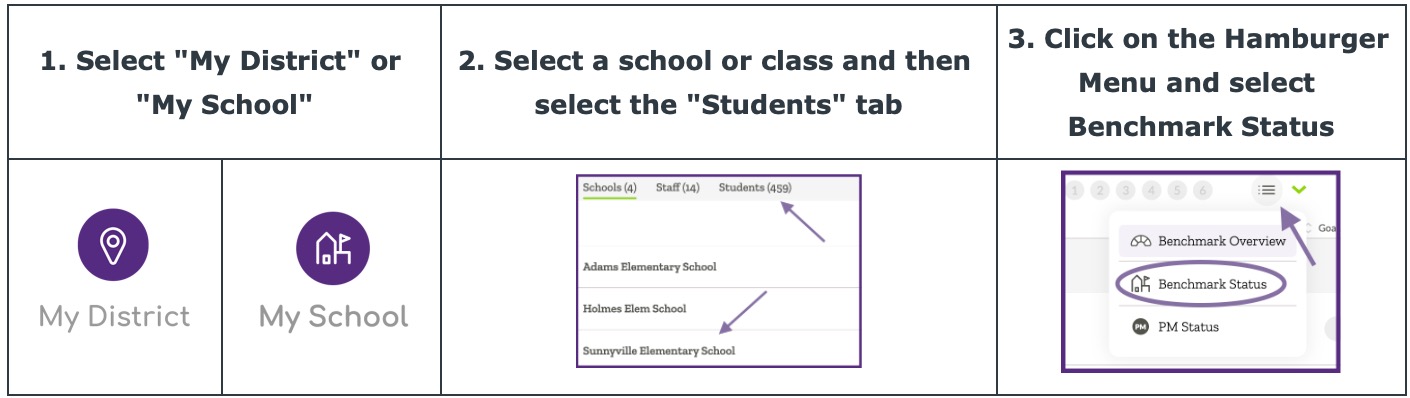
Follow the steps below to navigate to the Benchmark Status view in ALO.
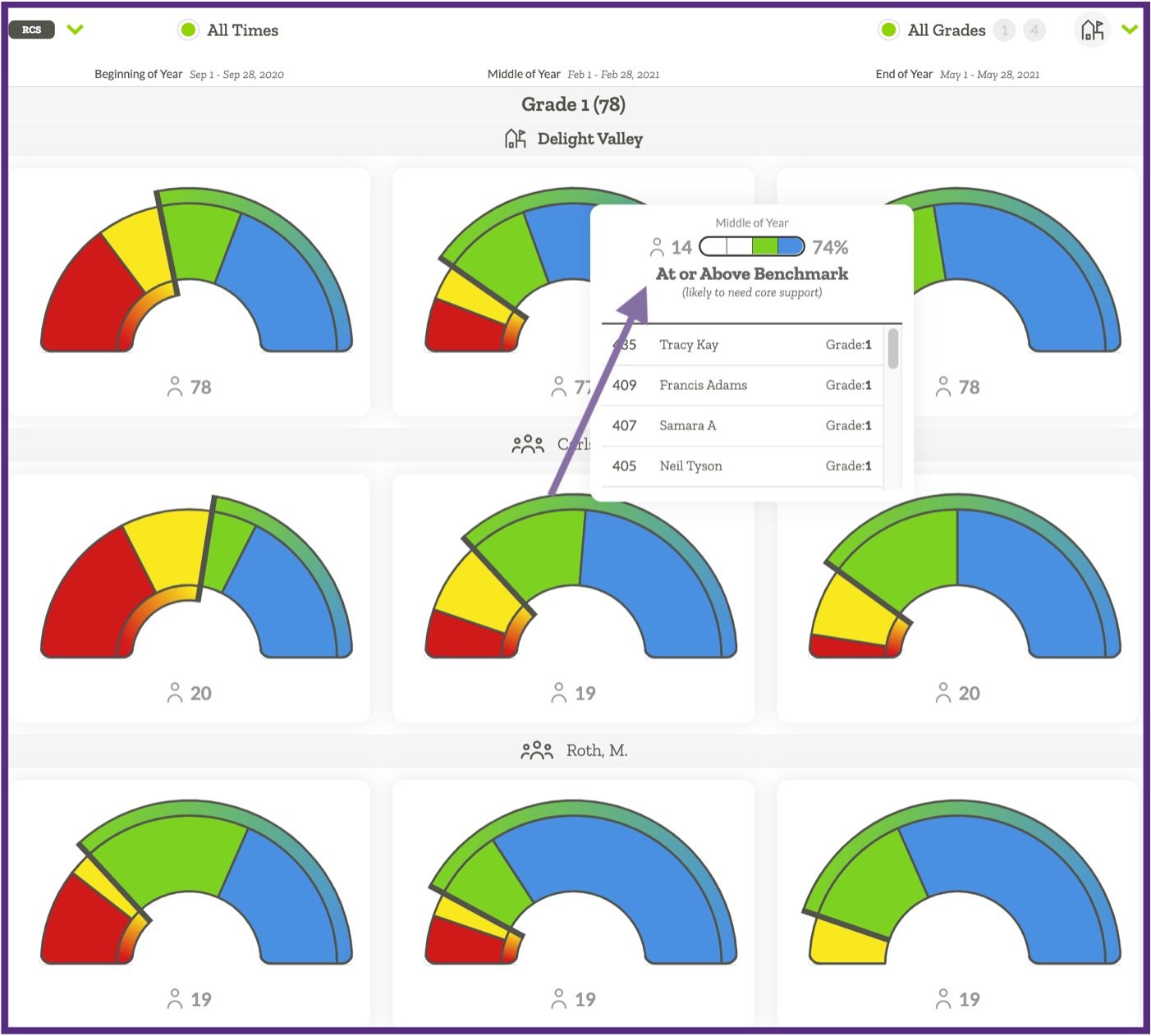
The Benchmark Status view displays the number and percent of students in each benchmark category across the year broken out by sub-levels.
At the district level, the report displays benchmark status information for the district and each school in the district. At the school level, the report displays benchmark status information for the whole school and each class in the school. This information is displayed in half-donut icons, which are interactive.
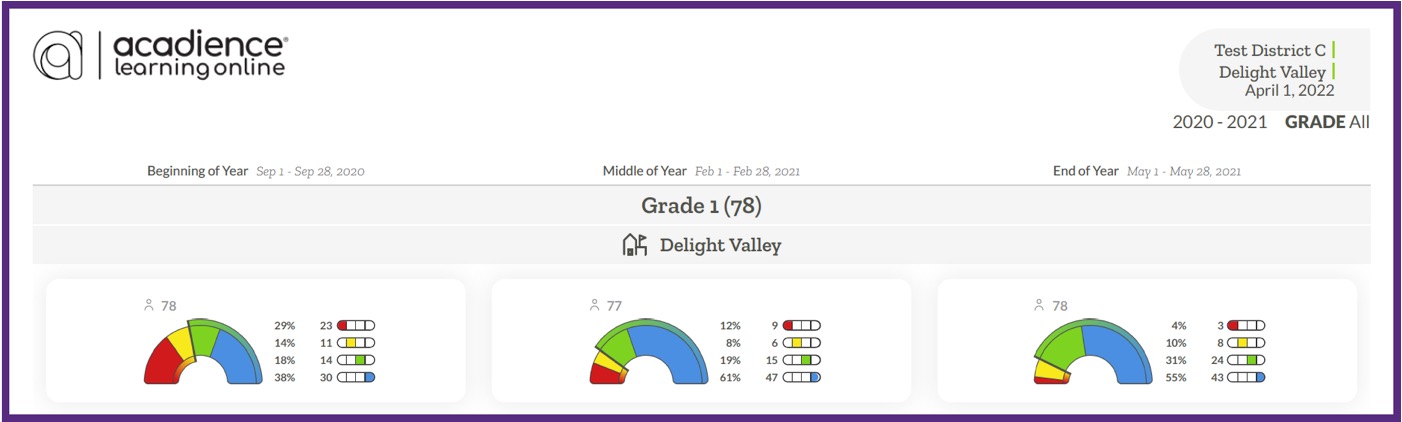
When printed or saved as a PDF, the number and percent of students in each benchmark status category will display to the right of the half-donut icons.