
Installing the Progressive Web Application
Progressive Web Application
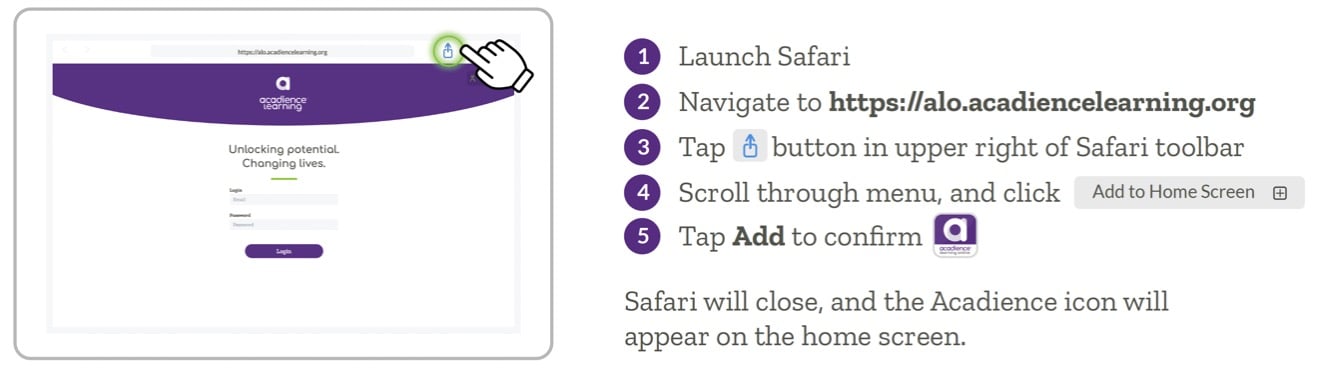
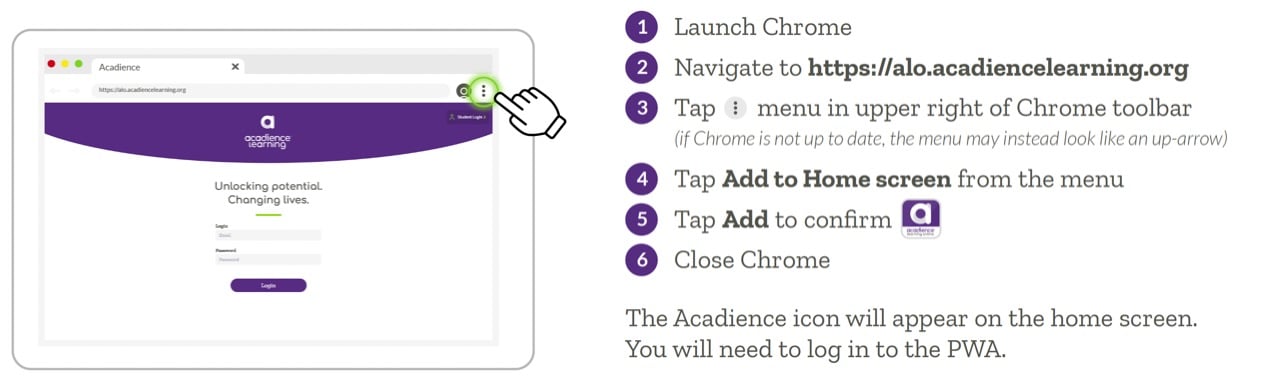
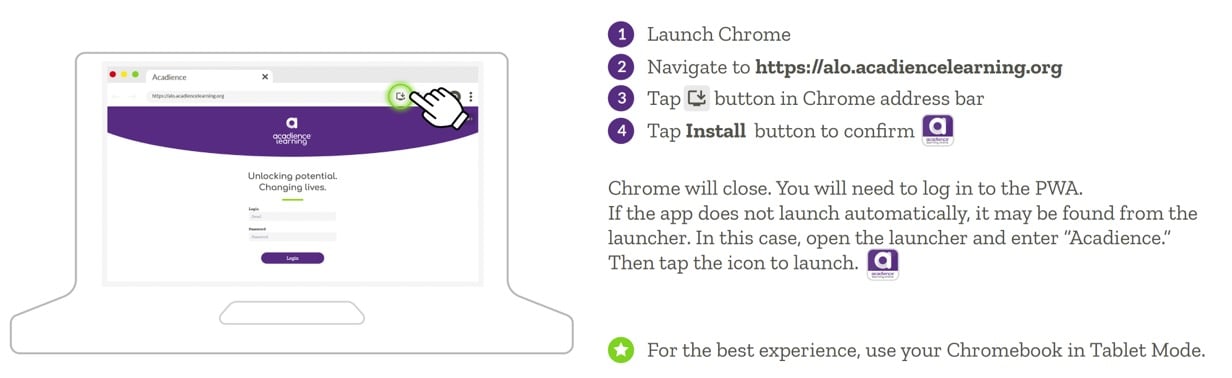
To assess students in the Acadience Learning Online (ALO) platform the ALO PWA must first be installed on all supported touchscreen devices that will be used for testing. To install the PWA, follow the instructions below.
iPad
Android Tablet
Chromebook
After the PWA has been installed, the application can be opened using the ALO icon on your homescreen. Users can log in with ALO credentials or with Clever.